No feature gating between tiers. A Freelance licence at £79.99 unlocks exactly the same application as a 10-device Medium Teams licence — you are only ever paying for devices. Everything below is fully usable with no network connection, on Microsoft Windows.
The trial is time-limited and volume-limited. It is not a crippled demo — every view, all 24 column types, PDF export and the document writer are fully usable. The caps are:
Unlimited items and rows. No card required to start. These limits are enforced in the application core, not just hidden in the interface. Enter a licence key and every cap lifts instantly — your trial projects carry straight over.
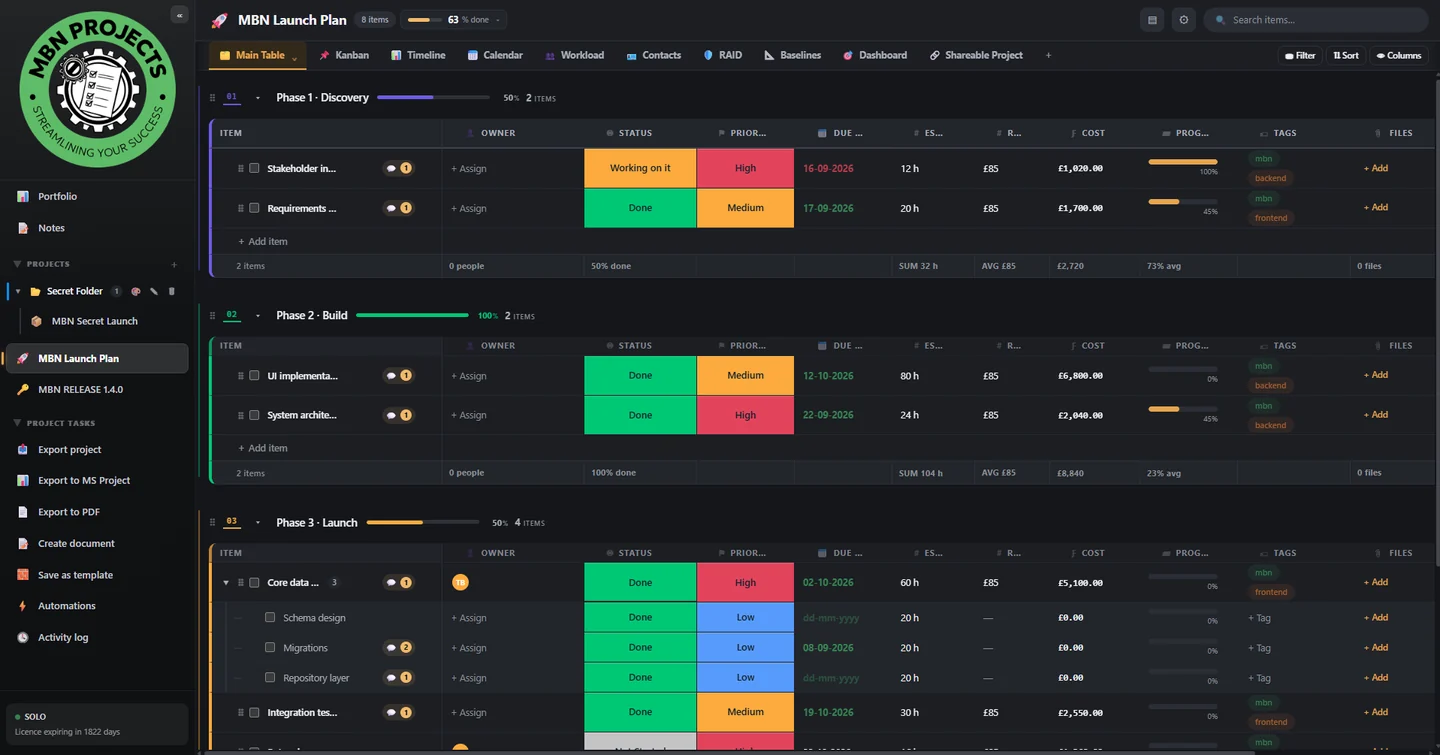
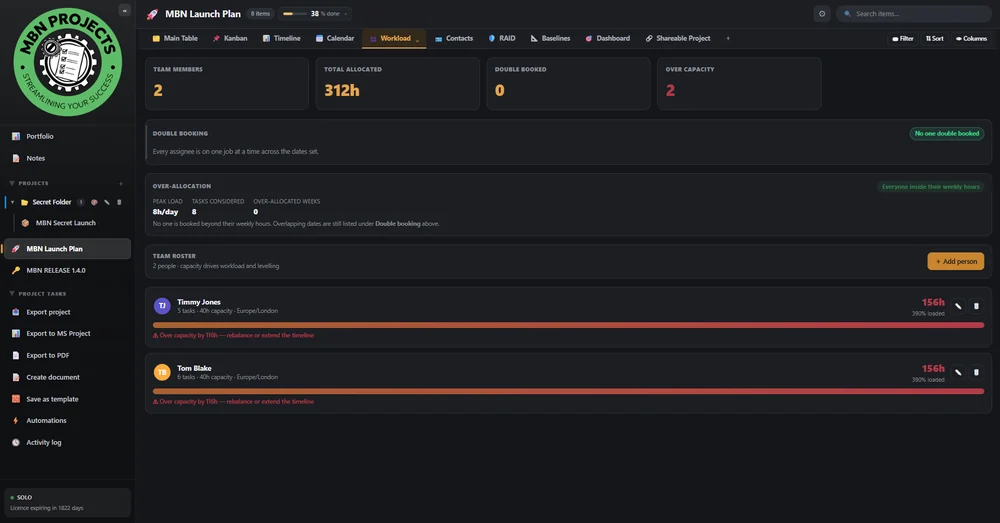
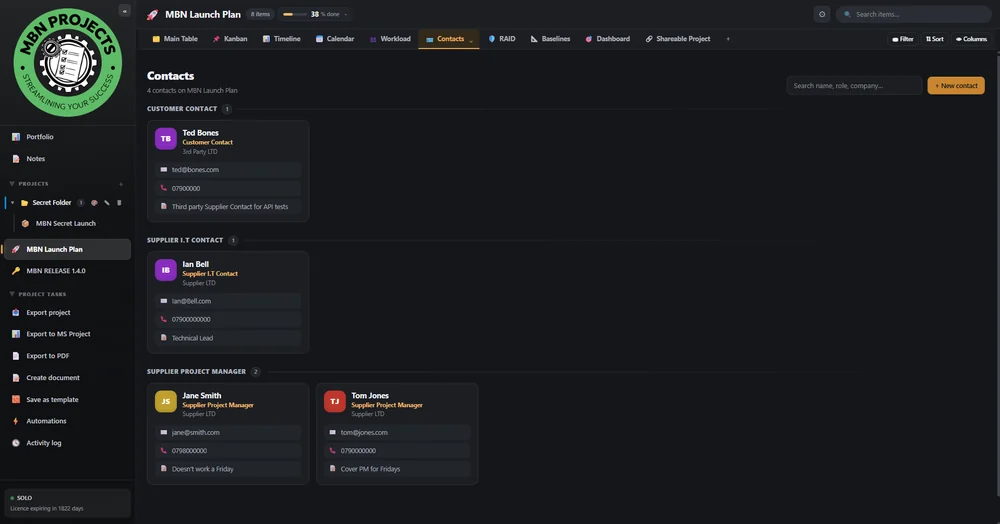
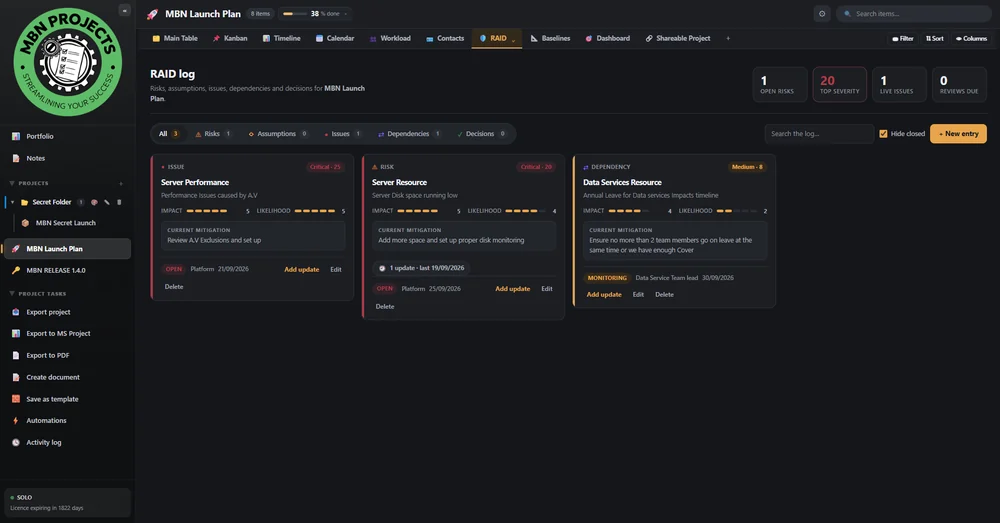
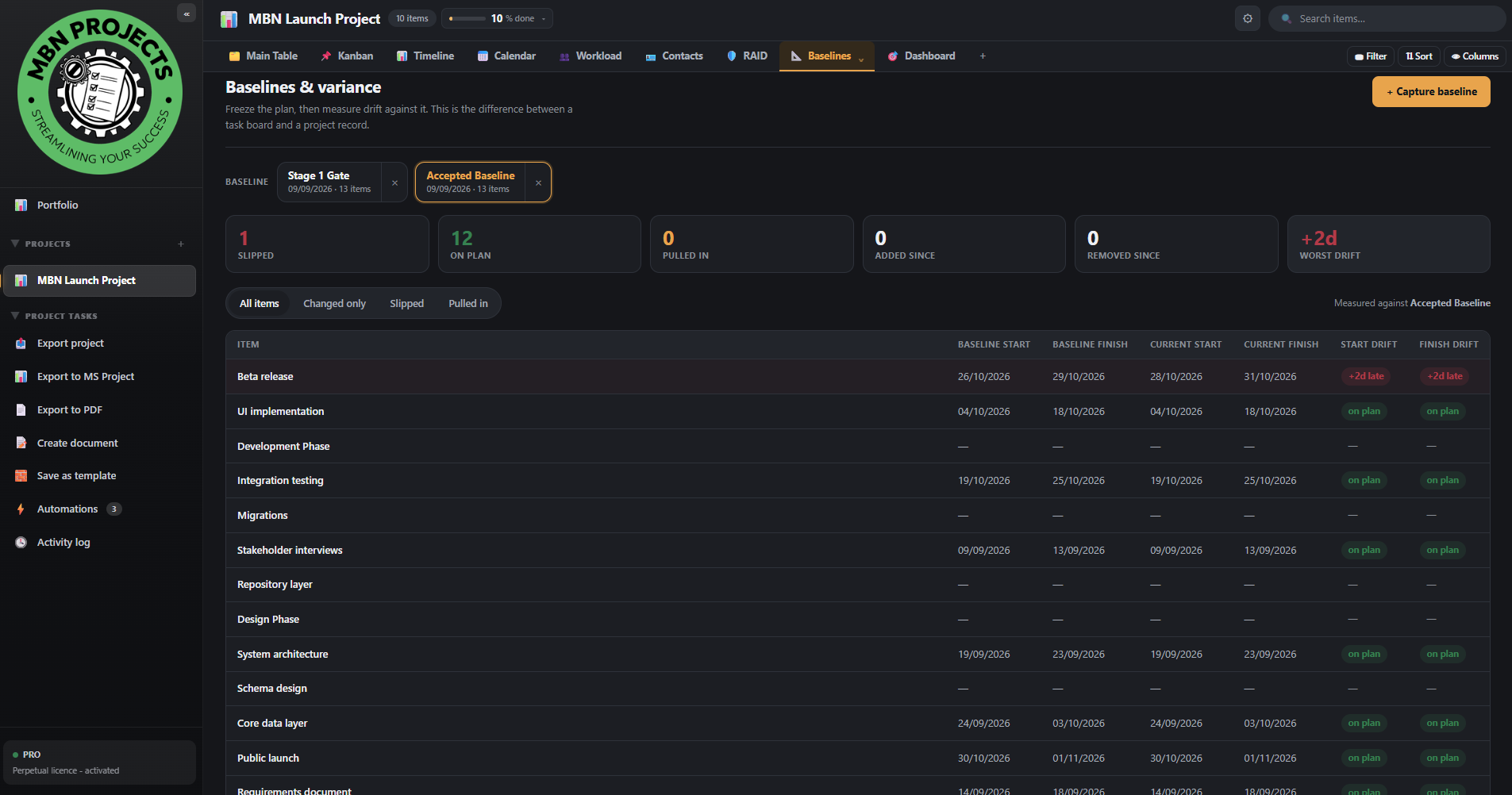
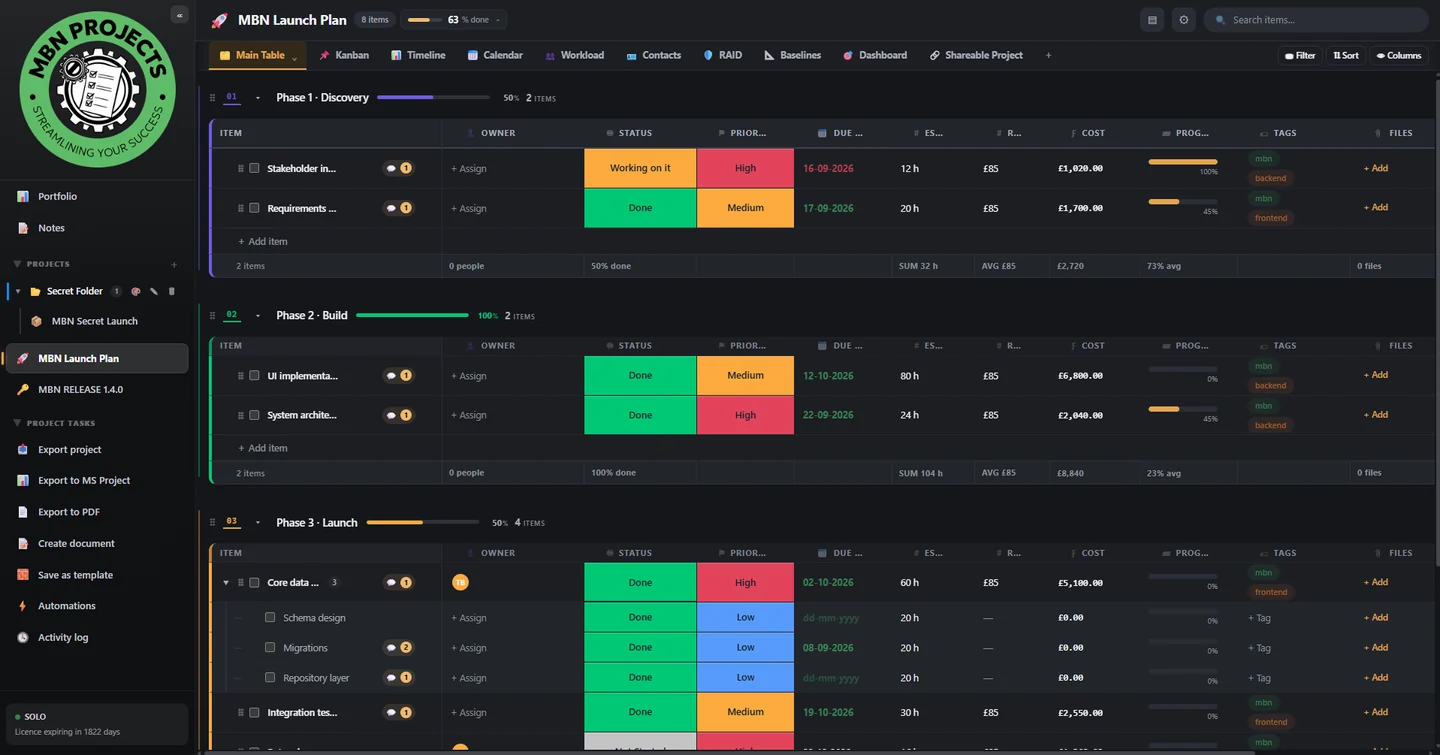
Switch view without duplicating anything. Change a date in the table and the Gantt, calendar, workload and dashboard all move with it.
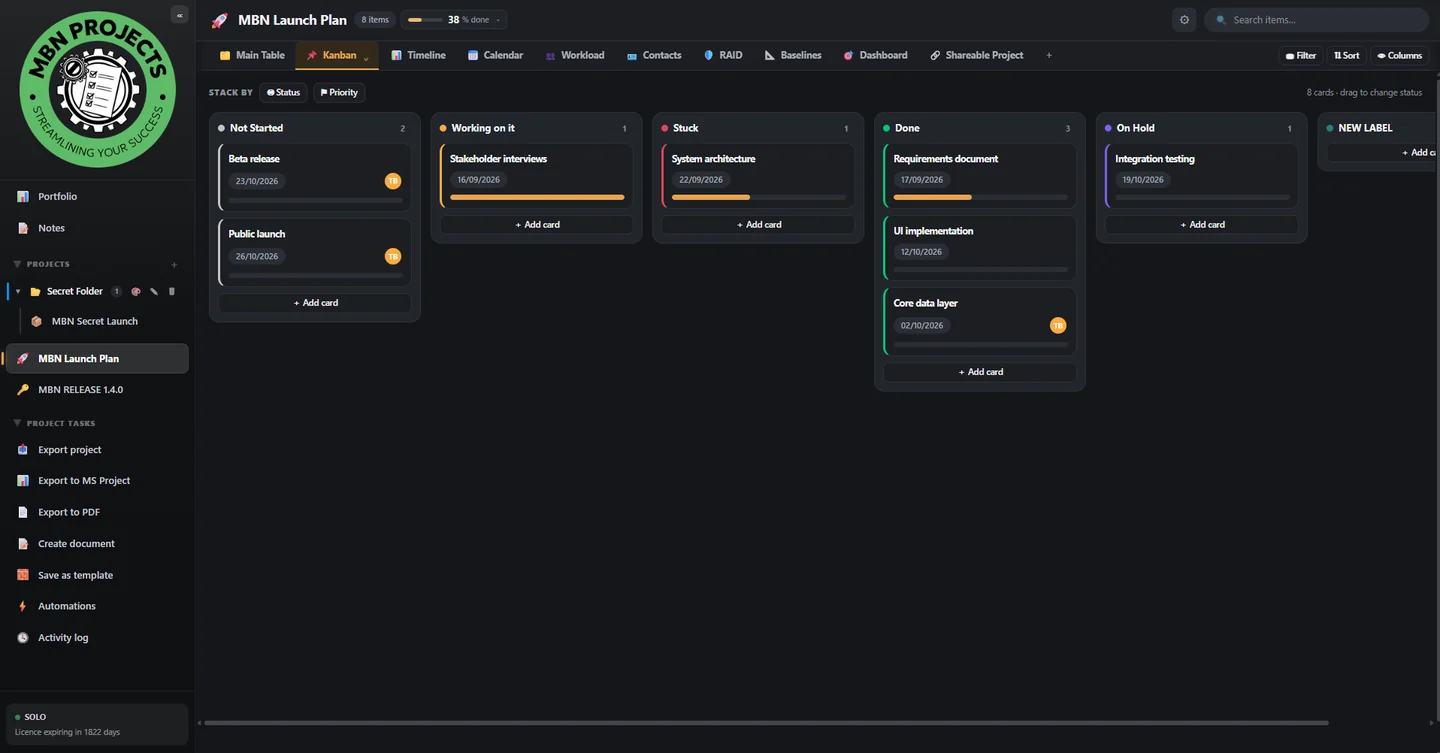
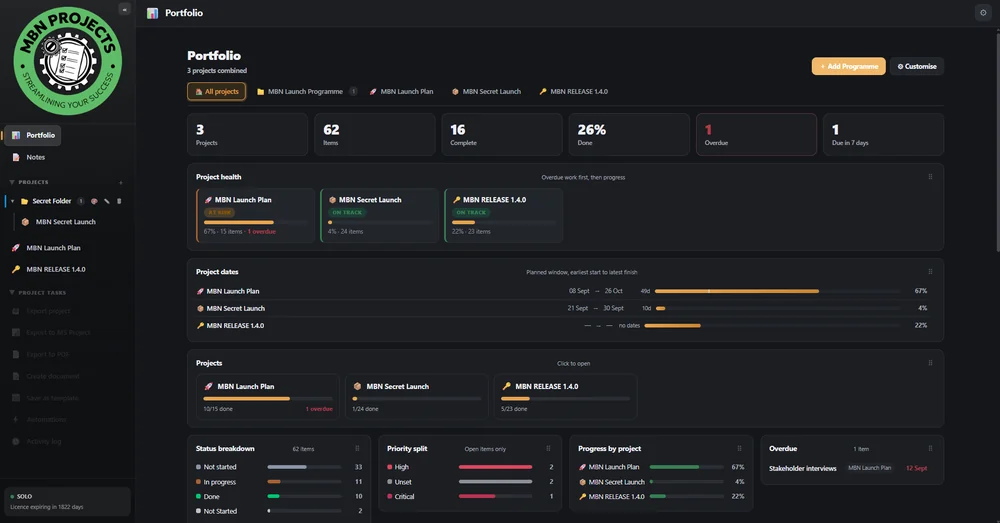
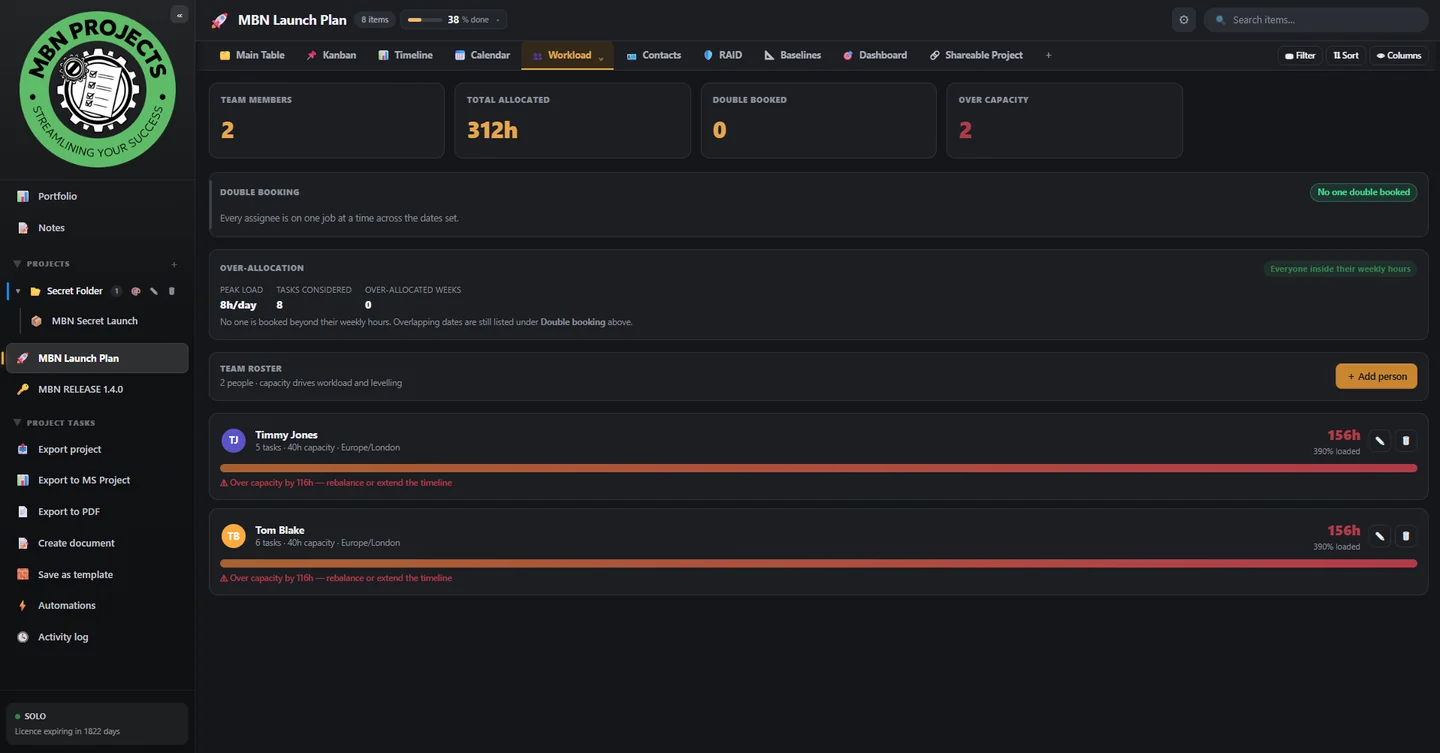
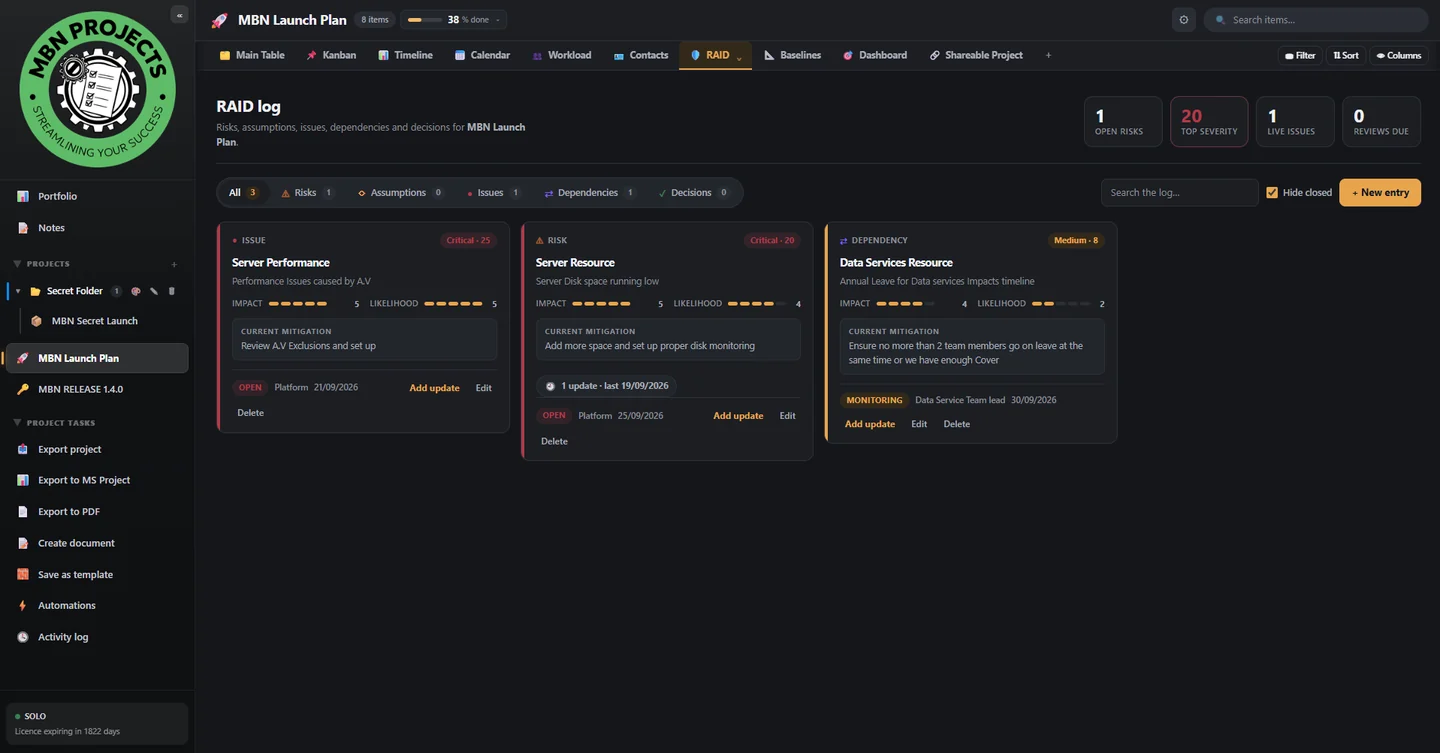
Real screenshots from the application — the same plan, seen through its different views.
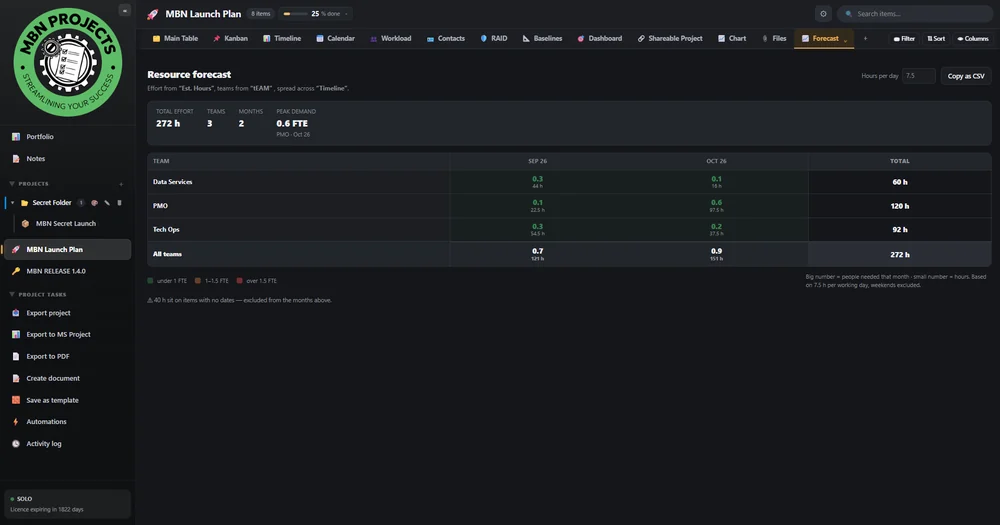
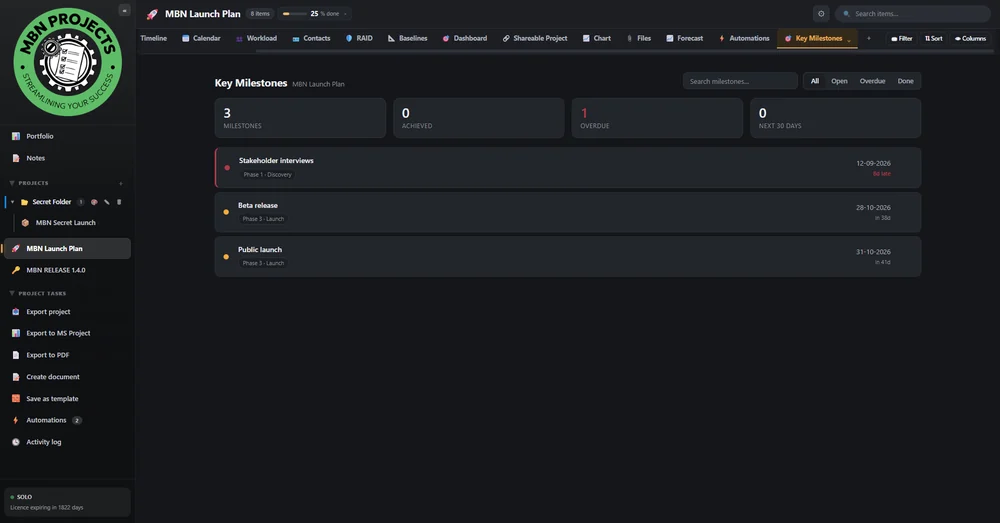
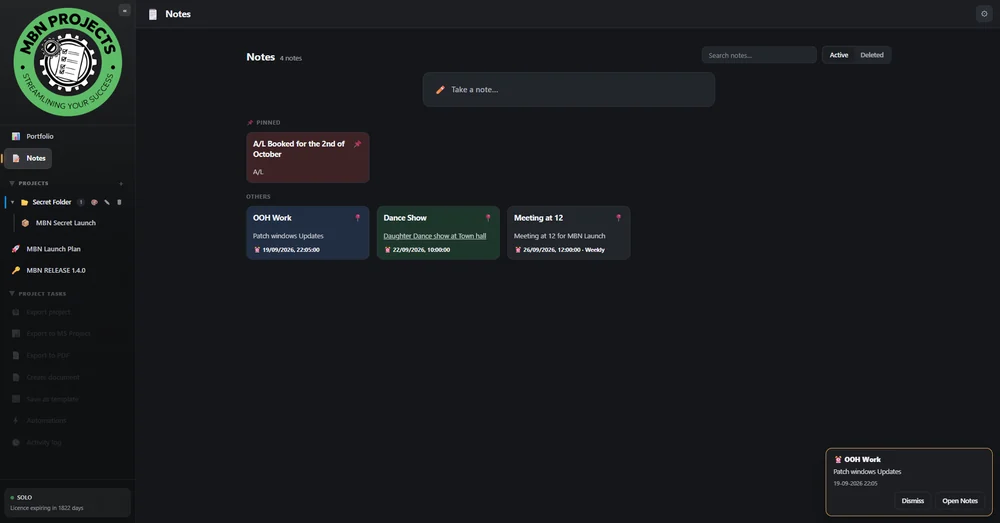
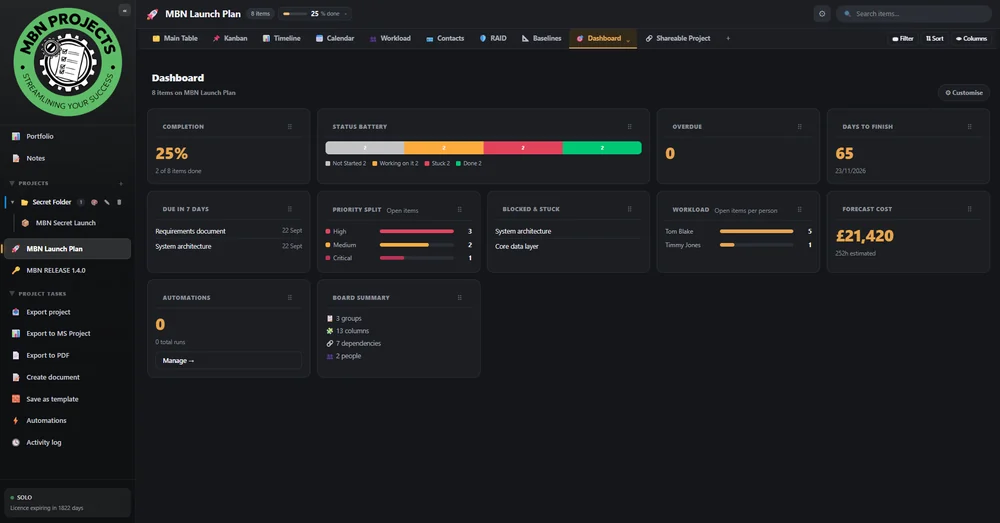
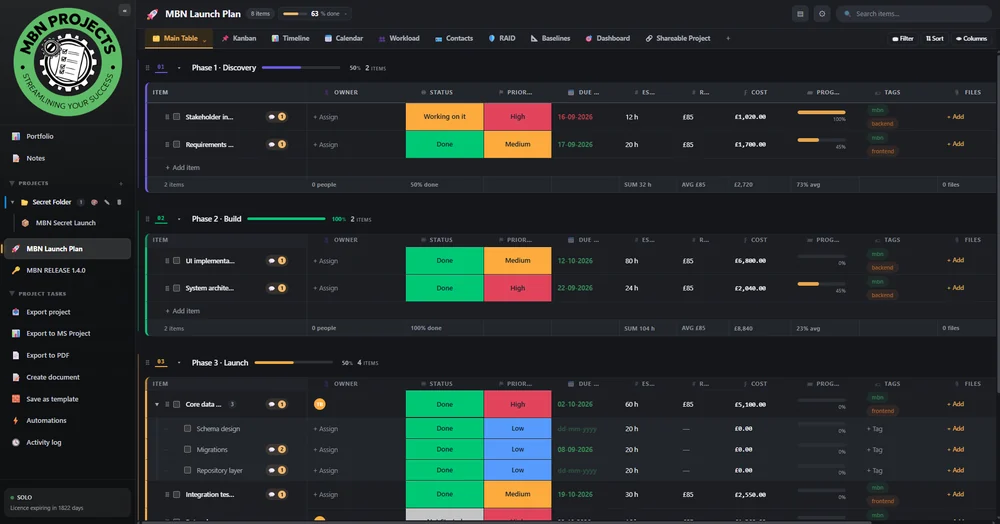
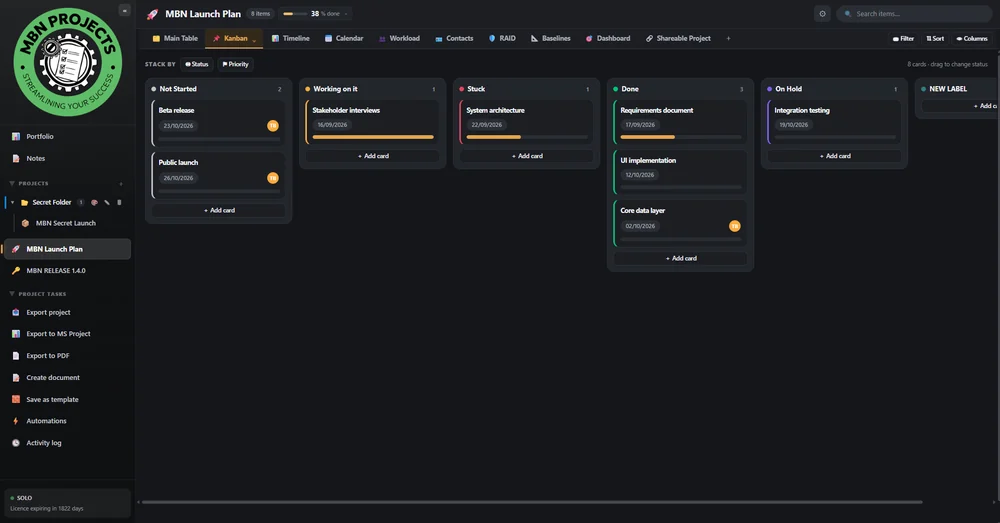
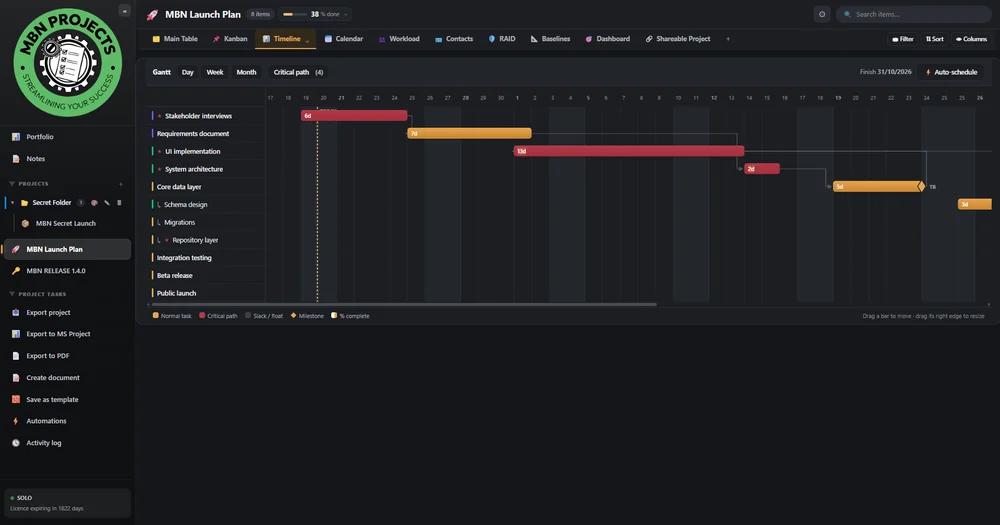
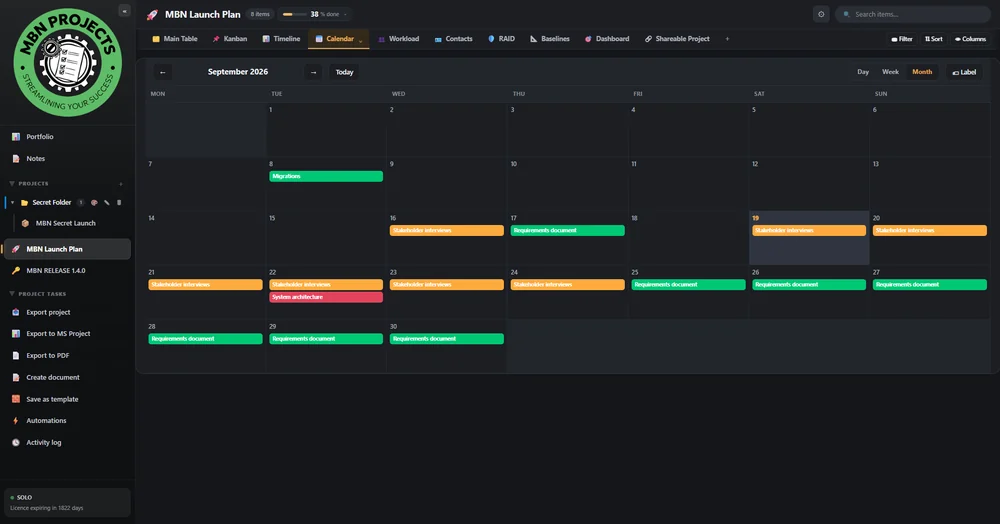
Every column type is available in every plan, on every project, with no add-ons.
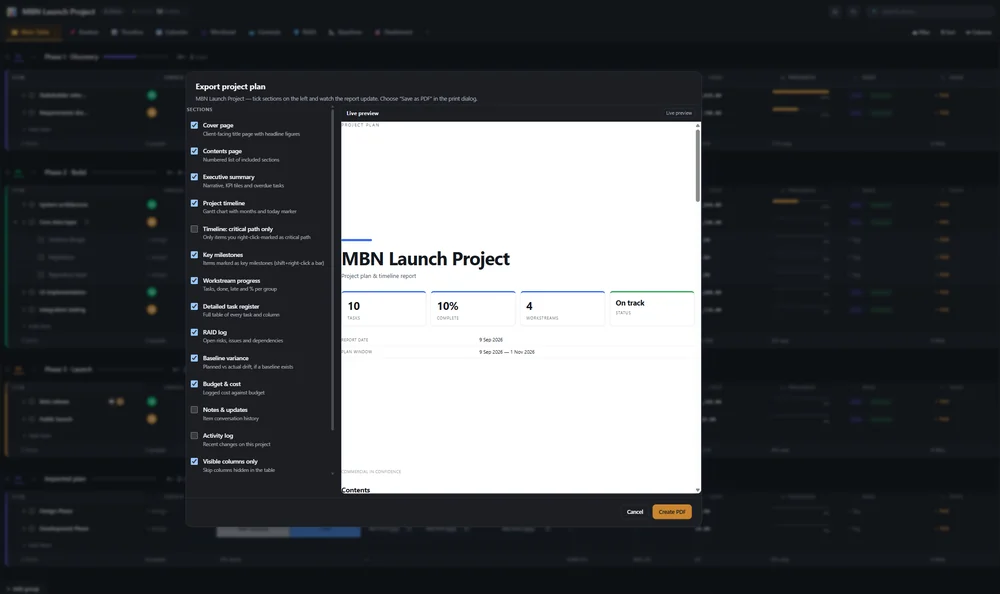
Produce a client-ready project plan without leaving the application and without a subscription to a reporting tool. The exporter renders the real plan — groups, phases, timelines, costs, owners and progress — into a clean, paginated document.
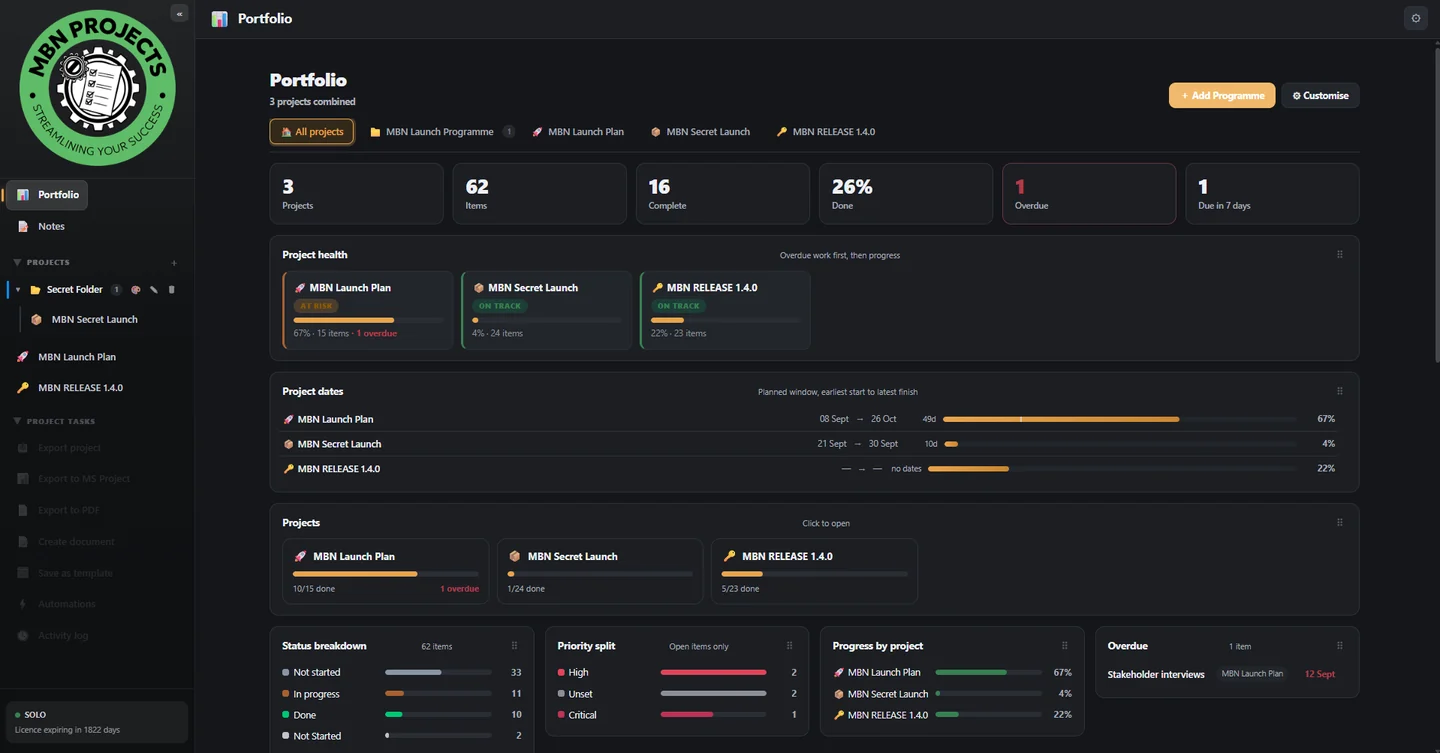
Dashboards are a canvas, not a fixed template. Add the widgets you care about, size them, arrange them, and point them at one project or the whole portfolio.
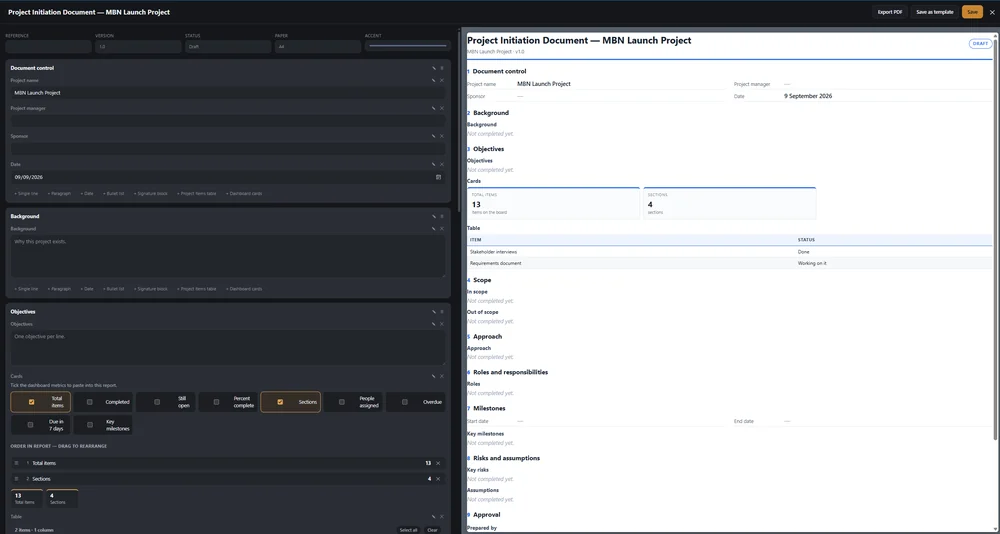
A proper document writer inside the app that reads live data from your projects — so a status report, scope document or client update is generated from the plan, not retyped from it.
Insert real items, dates, owners, costs, progress and RAID entries. Re-open the document later and the figures reflect the current plan.
Build reusable document templates for status reports, scope statements, meeting notes, handovers and close-out reports.
Same branded, paginated PDF pipeline as the project plan export — with the same live preview before you export.
Rule-based automations with no cloud connector, no webhook quota and no per-run billing. Everything executes on your machine, instantly.
Trial: one active automation. Any licence: unlimited.
Step above individual projects and see the whole book of work in one place — ideal when you are running six clients at once and need to know what is slipping.
Link predecessors, let the scheduler compute the critical chain, and see slack on parallel branches. Cycles are reported, never hung.
Snapshot the approved plan, then track start and finish drift per item — on plan, slipped, pulled in, added or removed.
Cost and schedule performance from the hours, rates and progress already in your columns.
Weekly capacity per person, overload detection and levelling suggestions driven by the team roster.
Risks, assumptions, issues, dependencies and decisions with impact × likelihood severity scoring, mitigations, owners and review dates.
Spreadsheet-style expressions across columns — arithmetic, conditionals and text functions, recalculated live.

Your work is never held hostage. A whole project packages into a single portable
.mbnproj file you can archive, move to a new PC, or hand to a colleague.
Trial: .mbnproj import/export is licence-only. PDF and CSV export work during the trial.
Every change is recorded locally — what changed, from what value to what value, and when. Invaluable when a client asks why a date moved.
Because the log retains previous values, a permanent-erase function is built in for genuine data-deletion requests. See the privacy notice.
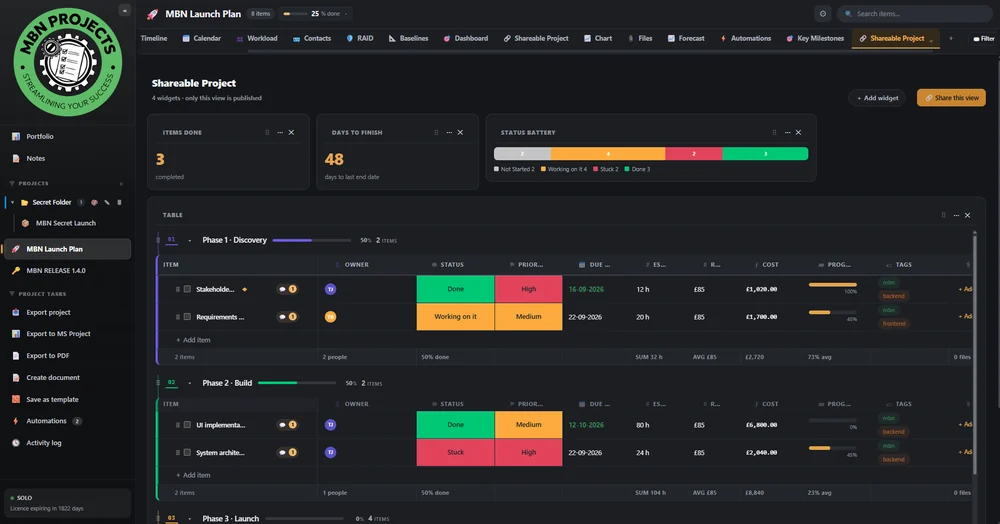
Share a live project as a read-only web page — encrypted in the app before it is uploaded, revocable at any moment. Plus a rebuilt Baselines view that shows exactly what changed, and a Chart view you can shape around your own columns.
Publish any project as a live, read-only web page and send the link to a client or a colleague who has never installed the software. The snapshot is encrypted on your machine before it is uploaded and the decryption key travels only in the part of the URL that browsers never send to a server, so the host stores ciphertext it cannot read. Add a password for a second lock, set an expiry, and revoke the link whenever you want — the page dies with it.
Capture a baseline and the app now snapshots every column, not just the dates. The variance table tells you what actually moved — Status: Not started → Blocked, a changed owner, a re-pointed due date — with filters for slipped, status moved and field edits.
Build more than one chart per project and choose what each one measures. Group by status, owner, priority or any select column; sum or average a number column; or bucket by date. Bar, column, line, area, pie and donut, each with its own settings that are saved with the project.
Milestones you actually marked, projects grouped into programmes, notes that remind you on time, and a backup you can genuinely restore from.
Mark any task as a key milestone from the item panel or straight from its Gantt bar. The Key Milestones view lists every one of them with dates, owners and slippage — and it reads the same flag used by the timeline diamonds, the PDF report and the MS Project export, so they can never disagree with one another.
Add a programme from the top of the Portfolio, name it, and it becomes a folder tab beside your projects. Pick the projects that belong to it, change that selection whenever you like, and the portfolio rolls up those projects only. Archive or delete the folder without touching the projects inside it.
Pin, colour and drag quick-capture notes into any order, link project items as chips, and set date-and-time reminders. Reminders fire exactly when due — and if the app was closed, you are told the next time you open it instead of missing it.
One archive holds every project, note and programme. Run it on a 1, 3, 7 or 14 day cycle or on demand. To restore, choose the file and the app shows you what is inside — project names, note and programme counts, and when it was taken — before writing anything.
Light, dark, warm, cool and a dedicated high-contrast option. Every theme is applied across the entire application — all sixteen views, every dialog, the document writer and the PDF preview — not just the sidebar. Switch instantly with Ctrl + T, or from Settings › Appearance.
Your choice is remembered per device. Text and background pairings across all ten themes are checked against WCAG AA contrast ratios, so the interface stays readable in bright offices and dim rooms alike. The High Contrast theme is there for users who need it.
This is not "offline mode". There is no cloud account, no sync service and no server holding your plans. Apart from three small requests — a licence check, an update check, and the share upload you trigger yourself — the application is fully usable with no network connection, and your project data never leaves the machine unless you deliberately publish a share link.
No analytics, no crash reporting to us, no usage tracking. Nothing about your projects leaves the machine.
At launch the app quietly checks your licence and looks for an update. Neither request carries any project data — and if there is no connection, both fail silently and you carry on working.
Activate once over the internet and the device slot is yours. The app then runs with no network connection at all, using a cryptographically signed licence lease held on your machine. If a key is ever misused we can revoke it instantly.
Data lives in a local database on your PC. Back it up with your own routine or export a portable project bundle.
Strict content security policy, parameterised database access throughout, no unsafe code, and archive imports guarded against path traversal.
Full functionality with the network adapter switched off — including PDF export and the document writer.
Two projects, one automation, everything else unlocked. No card required.